
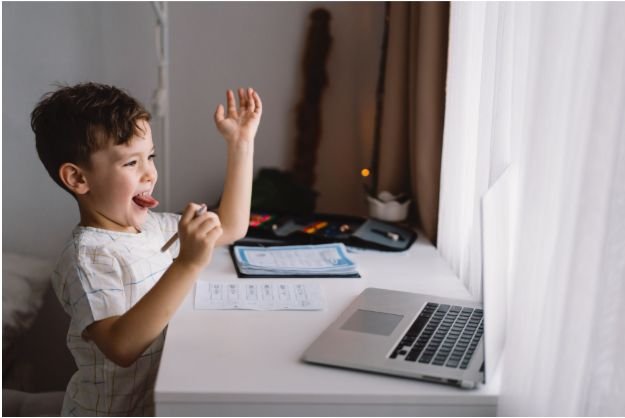
Managing homeschool screen time can feel complicated because screens are not always the problem. In many homes, kids use laptops, tablets, online lessons, typing tools, educational apps, virtual museum tours, and research websites as part of real learning. That is why classic “two-hour daily limits” do not always work for homeschool families.
I believe the better solution is to separate productive screen use from recreational entertainment. When parents use clear categories, kids understand the difference between school technology and free-time technology. That is the foundation of homeschool screen time rules for kids that actually work.
Why Homeschool Families Need Better Screen Time Rules
Homeschooling gives families flexibility, but it also makes device use easier to overdo. A child may watch a math lesson in the morning, use a reading app after lunch, and then ask for YouTube or gaming in the afternoon. Without boundaries, the whole day can slowly become screen-based.
Good screen time rules do not punish kids for using technology. They teach kids how to use it with purpose. For families using digital curricula, the goal is not to remove screens completely. The goal is to make screens serve the homeschool day instead of controlling it.
The Two-Bucket Rule for Homeschool Screen Time

The simplest system I recommend is the “two-bucket” rule. Every screen activity should fall into one of two buckets: productive screen time or recreational screen time.
Productive screen time includes online schoolwork, typing practice, educational apps, documentaries, research tools, audiobooks, and virtual field trips. These screens support learning and should not always count against recreational limits, as long as the child stays on task.
Recreational screen time includes video games, social media, cartoons, YouTube browsing, streaming, and casual scrolling. This category needs much firmer limits because it can easily replace reading, movement, chores, sleep, and family time.
How Much Screen Time Should Homeschool Kids Have?
Many parents want one perfect number, but homeschool families need a more flexible approach. Younger children usually need shorter screen blocks, while older students may need more online access for classes, writing, research, and test prep.
Balancing screen time with homeschool quiet time ideas for toddlers that calm the chaos can make the day run more smoothly. Setting up quiet activities such as coloring, puzzles, sensory bins, board books, or soft building toys gives younger children a calm, engaging space while older siblings focus on lessons, creating a more peaceful and productive homeschool environment.
For recreational screen time, many families do best with a clear daily cap, often around one to two hours for school-aged children, depending on age, behavior, sleep, and family values. Productive screen time should still have structure, but it should be measured by purpose and completion rather than minutes alone.
The real question is not only “How long was my child on a screen?” It is also “Did screens replace sleep, outdoor play, chores, reading, creativity, or real conversation?”
The Earned Tech Checklist That Reduces Arguments
One of the best ways to stop constant screen requests is to make recreational screens earned, not automatic. I like using a simple checklist before kids get entertainment devices.
Before recreational screen time, kids should complete daily homeschool assignments, reading goals, worksheets, or online lessons. They should also finish basic household chores such as making the bed, clearing dishes, tidying the school area, or completing morning routines.
Physical activity should be part of the checklist too. Children need time to move, play outside, ride bikes, walk, run, or do active indoor play. Creative offline time also matters, whether that means LEGO bricks, drawing, puzzles, board games, crafts, music, or pretend play.
This approach works because it changes the conversation. Instead of asking, “Can I have my tablet?” the child learns to ask, “Have I finished what comes first?”
No Screen Time Before Homeschool Work

A strong morning rule can change the whole homeschool day. I prefer no recreational screens before homeschool work. This does not include required online lessons, but it does include cartoons, gaming, social media, and random videos.
When kids start the morning with entertainment, it often becomes harder to shift into reading, math, writing, or hands-on learning. A better routine is breakfast, chores, morning reading, core schoolwork, and then screen privileges later.
This rule creates fewer arguments because the order stays the same every day.
Device-Free Zones Every Family Should Set
Healthy screen boundaries are easier when certain places stay device-free. Bedrooms and bathrooms should not be screen spaces for kids. Keeping devices out of bedrooms helps reduce late-night scrolling, gaming, and hidden use.
Mealtimes should also be screen-free. Breakfast, lunch, dinner, and family outings are better without phones, tablets, or laptops. These breaks protect conversation and help kids stay connected to real people, not just digital content.
For many families, the best rule is simple: screens stay in public spaces, especially during homeschool hours.
Digital Sunset and Central Charging
Evening screen rules matter because screens can interfere with sleep routines. A digital sunset means devices turn off one to two hours before bedtime. This gives kids time to calm down, read, shower, talk, stretch, or prepare for the next day.
Centralized charging also helps. Instead of letting kids keep phones, tablets, or laptops in bedrooms overnight, charge all devices in the kitchen, living room, or another parent-managed space. This removes temptation and makes the rule easier to enforce.
Monitoring, Safety, and Parental Controls
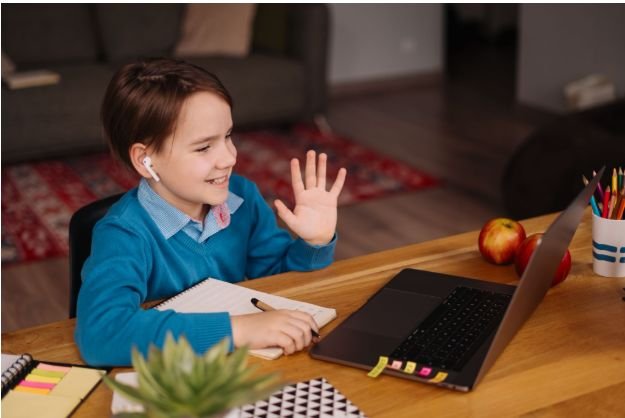
Monitoring is not about spying. It is about teaching safe technology habits. During the homeschool day, laptops, tablets, and desktops should be used in high-traffic family areas where screens are visible.
Parents can also use built-in tools such as Apple Screen Time, Google Family Link, router controls, app limits, content filters, and website blockers. These tools help enforce screen time boundaries, but they should support family rules rather than replace parenting.
I also think it helps to reframe devices as parent-owned tools loaned out for specific purposes. This shifts the attitude from “This is my right” to “This is a privilege I use responsibly.”
Sample Homeschool Screen Time Rules for Kids
Here is a simple version families can adapt: educational screens are allowed only for assigned learning tasks; recreational screens happen after schoolwork, chores, movement, and offline creative time; devices stay in shared spaces; no screens are allowed during meals; bedrooms and bathrooms stay device-free; all devices shut down before bedtime and charge in a central location.
These homeschool screen time rules for kids work because they are clear, predictable, and realistic for families using online learning.
Frequently Asked Questions (FAQs)
1. What are the best screen time rules for homeschool kids?
The best rules separate educational screen use from entertainment, require schoolwork and chores first, keep devices in public spaces, and turn screens off before bedtime.
2. Does online homeschool work count as screen time?
Yes, but it should be treated differently from entertainment. Online lessons, typing practice, and educational apps are productive screen time when they have a clear purpose.
3. How do I reduce gaming and YouTube during homeschool days?
Set a daily recreational screen limit, require an earned tech checklist, turn off autoplay when possible, and keep YouTube or gaming in shared family spaces.
4. Should homeschool kids keep devices in their bedrooms?
Most families do better when devices stay out of bedrooms, especially overnight. Central charging protects sleep and reduces hidden screen use.
Final Thoughts
I know screens are part of modern homeschooling, so I do not think parents need to feel guilty about using them. The real goal is balance. When families separate productive learning from recreational entertainment, screen time becomes easier to manage.
The best homeschool screen time rules for kids are simple, consistent, and connected to daily responsibilities. With the two-bucket rule, earned tech checklist, device-free zones, digital sunset, and smart monitoring, homeschool families can use technology without letting it run the home.